Send invoice by email
Overview
WBudget Invoice allows you to send invoices directly by email from the system.
Invoices can be sent either using the default WBudget email server or through a custom SMTP configuration provided by the user.
This flexibility ensures invoices can be delivered quickly while respecting company communication preferences.
What is this for?
Sending invoices by email allows you to:
- Deliver invoices directly to customers
- Avoid manual downloads and attachments
- Use a professional email flow for billing
- Choose between system email or your own email server
Invoices can be sent at any stage, depending on their status and availability.
Sending an invoice by email
To send an invoice:
- Go to Invoices
- Locate the invoice in the Kanban view
- Open the invoice context menu
- Click Submit Proposal (send by email)
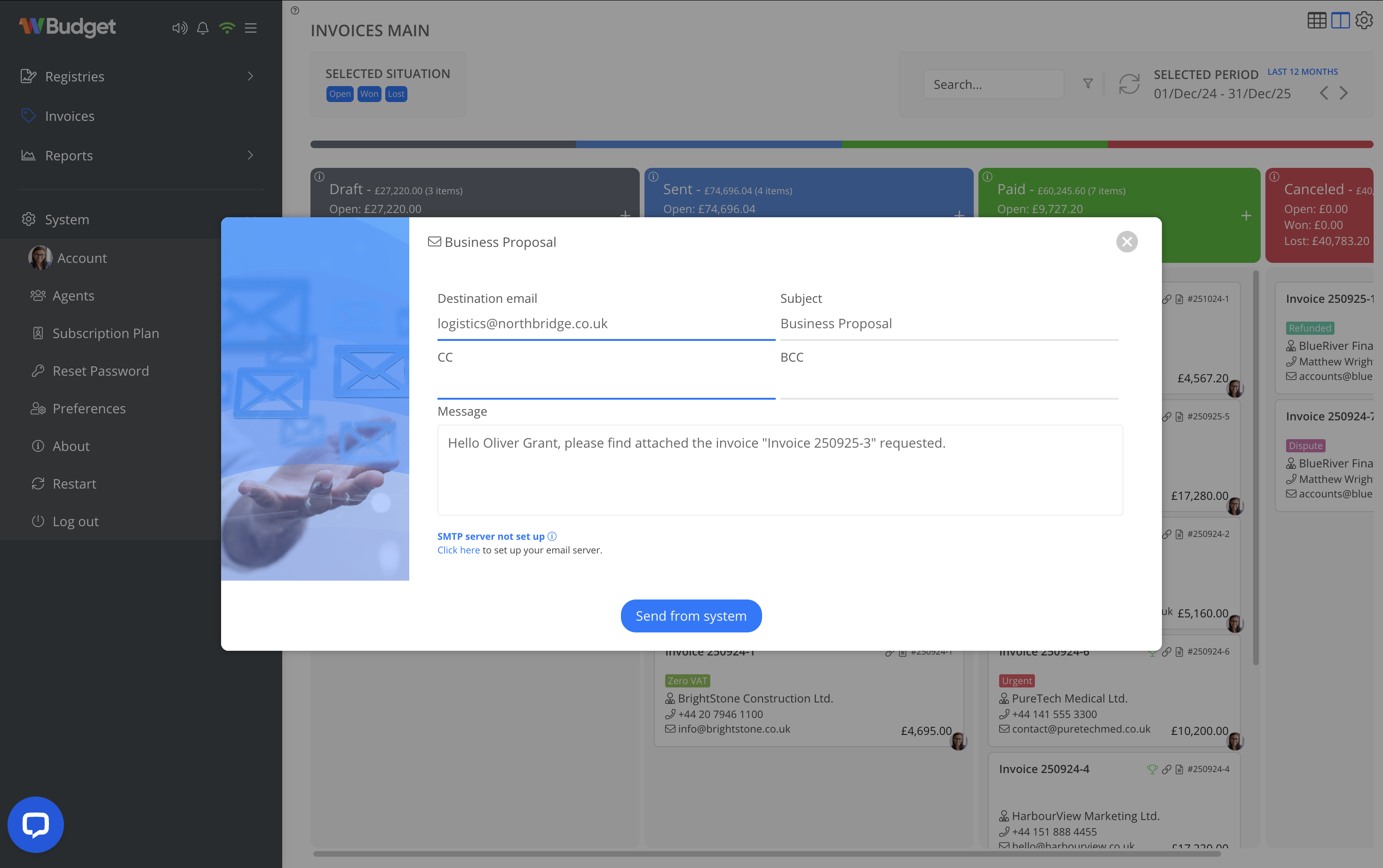
This opens the email sending modal.
Email composition
From the email modal, you can:
- Review or edit the destination email
- Add CC and BCC recipients
- Edit the email subject
- Customize the message body
The invoice PDF is automatically attached.
Sending via WBudget email server
By default, invoices are sent using the WBudget email server.
- Emails are sent from a noreply@wbudget address
- No configuration is required
- Suitable for quick setup and immediate use
This option is ideal for users who want to start sending invoices without additional setup.
Sending via custom SMTP
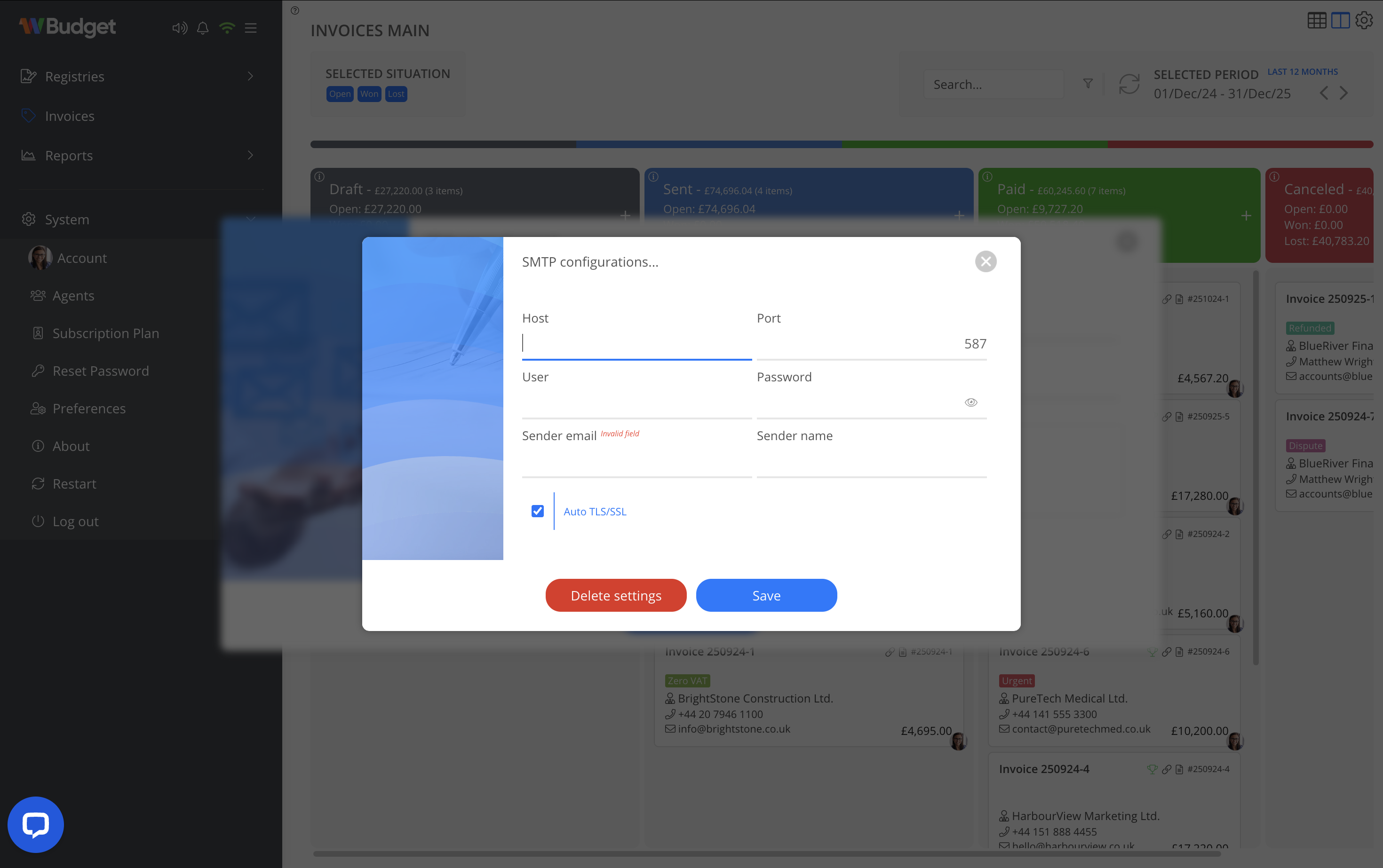
Users can configure their own SMTP email server to send invoices using a personal or corporate email address.
To configure SMTP:
- Open Account > Preferences
- Access SMTP configurations
- Enter your email server details (host, port, user, password)
- Define sender email and sender name
- Save the configuration

Once configured, invoices can be sent using your own email domain instead of the WBudget server.
Notes
- Invoice emails always include the PDF as an attachment
- CC and BCC fields support multiple recipients
- SMTP configuration is optional
- If SMTP is not configured, the system uses the WBudget email server by default
- Email delivery does not change the invoice status automatically