Items
Overview
Items represent the products and services that can be added to invoices in WBudget.
They are the core elements used to calculate values, VAT and totals when issuing invoices.
Items can be organised by categories and reused across multiple invoices.
What is this for?
Items allow you to:
- Define products or services offered by your business
- Standardise pricing, units and VAT rates
- Speed up invoice creation
- Maintain consistency across invoices and reports
- Analyse revenues by item or category
Each invoice line is created from a registered item.
Items table overview
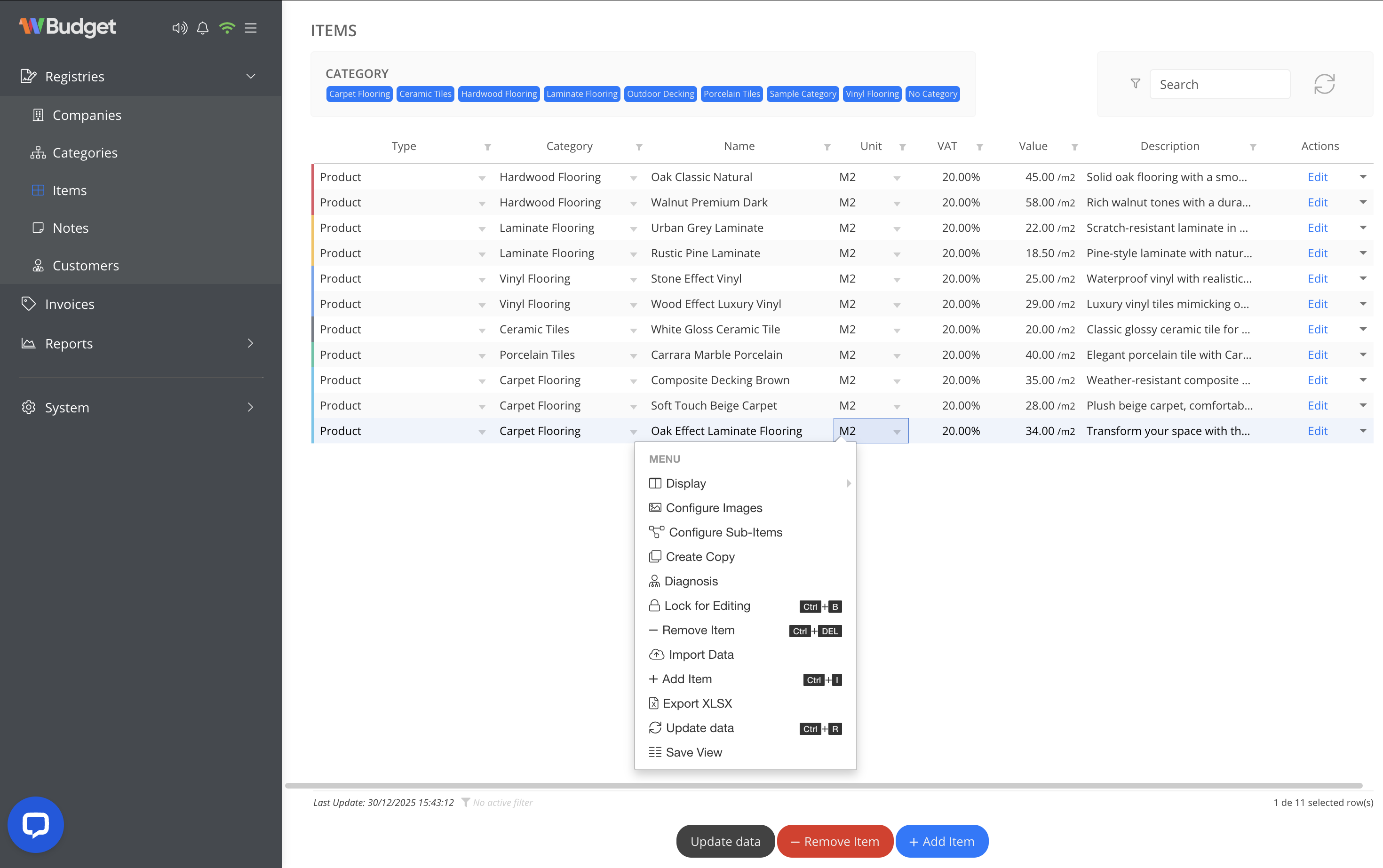
The Items screen displays all registered items in a table view with the following information:
- Type (product or service)
- Category
- Item name
- Unit (e.g. m², unit, hour)
- VAT rate
- Value
- Description
- Actions
You can filter items by category, search by name and customise the table view by selecting and filtering visible information.
Column structure itself cannot be modified.
Adding a new item
To add a new item:
- Click Add Item
- Define the item details:
- Type (product or service)
- Category
- Name
- Unit of measurement
- VAT rate
- Value
- Description (optional)
- Save the item
Once saved, the item becomes available for selection when creating or editing invoices.
Deleting an item
To remove an item:
- Select the item in the list
- Open the actions menu or click Remove Item
Items that have already been used in issued invoices cannot be deleted.
This restriction is part of WBudget’s data consistency and audit policy, ensuring that historical invoices remain accurate and traceable.
To delete an item that has been used:
- All invoices containing that item must be deleted first
Available actions
From the item actions menu, you can:
- Adjust table view visibility and filters
- Configure item images
- Create copies of existing items
- Lock items for editing
- Add new items
- Remove items (when not linked to invoices)
- Import item data
- Export items (XLSX)
- Refresh data
- Save table views
These actions help manage large item catalogues efficiently.
Notes
- Items can be reused across multiple invoices
- VAT rates defined on items are applied automatically
- Items linked to invoices are protected from deletion
- This policy ensures data integrity and audit reliability