Categories
Overview
Categories are used to classify and organise items (products and services) within WBudget.
They help keep your item list structured and make reports easier to read and analyse.
Categories are shared across items, invoices and reports.
What is this for?
Categories allow you to:
- Group similar products or services
- Improve organisation of the items list
- Simplify item selection when creating invoices
- Generate clearer reports by category
- Visually identify items using colours
Each item can be linked to a category.
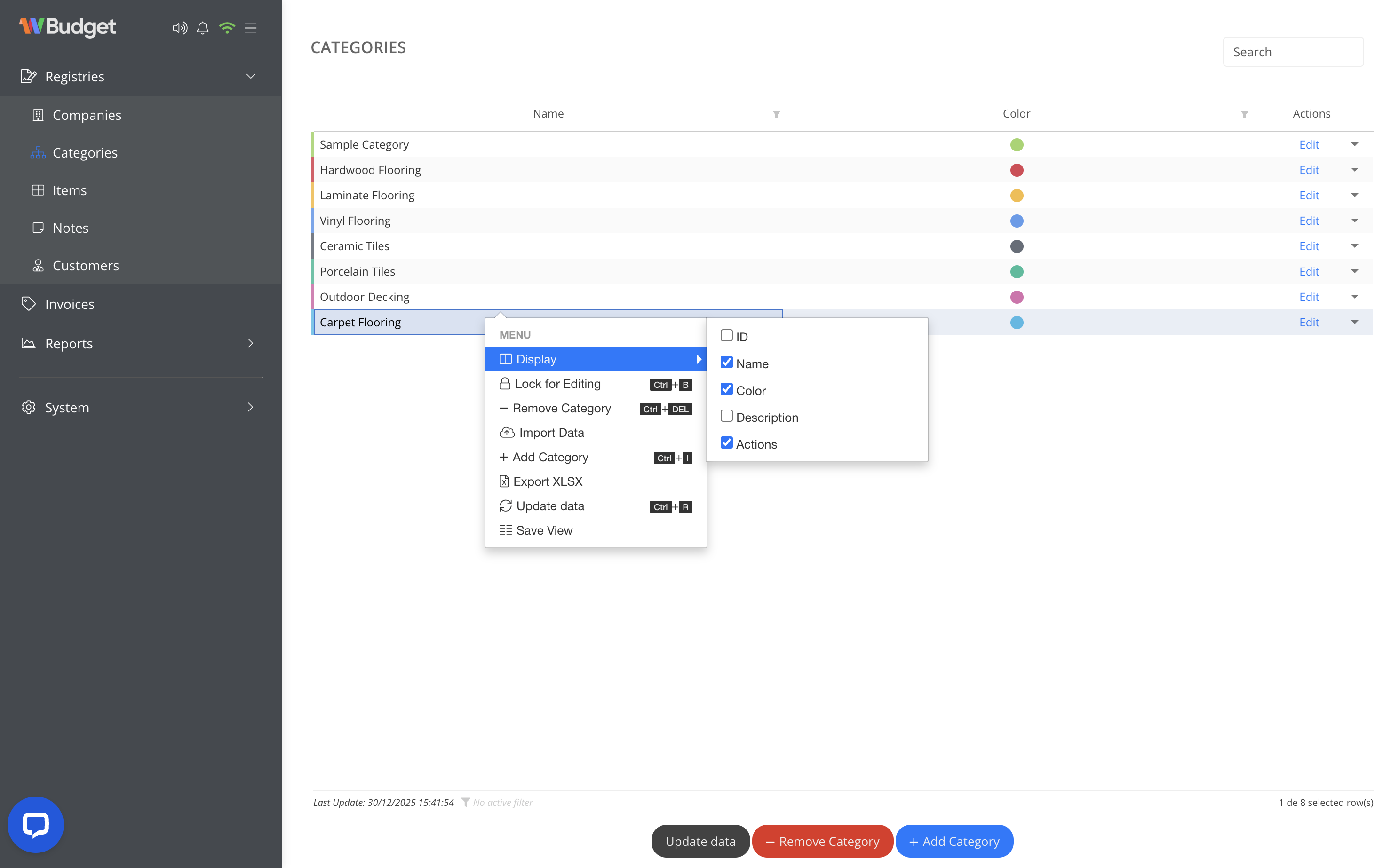
Adding a new category
To create a new category:
- Click Add Category
- Enter a category name
- Select a colour to visually identify the category
- Save the category
The category becomes immediately available for item registration.
Editing a category
To edit an existing category:
- Locate the category in the list
- Click Edit or open the actions menu
- Update the name or colour
- Save your changes
Updates are reflected automatically wherever the category is used.
Importing and exporting categories
From the actions menu, you can:
- Import data to create categories in bulk
- Export XLSX to download the category list
This is useful when migrating data or managing large item catalogues.
Available actions
The actions menu allows you to:
- Show or hide table columns
- Lock categories for editing
- Add new categories
- Remove existing categories
- Import data
- Export categories (XLSX)
- Refresh data
- Save custom table views
Notes
- Removing a category does not delete items, but may leave them uncategorised
- Categories are shared across invoices and reports
- Using clear names and colours improves usability and reporting clarity