Item description
Overview
Each item in WBudget includes a rich text description that can be edited manually or generated with the help of an integrated ChatGPT Premium assistant.
Item descriptions provide additional context and commercial details for products and services.
What is this for?
Item descriptions are used to:
- Describe products or services in more detail
- Add commercial and technical information
- Improve clarity when reviewing items
- Provide richer content for internal reference
Descriptions are optional and can be updated at any time.
Editing an item description
You can edit an item description in two ways:
-
Directly from the items table
Click on the description cell of an item to open the editor. -
From the item edit modal
- Go to Registries > Items
- Click Edit on an item
- Open the Description section
Both methods open the same text editor.
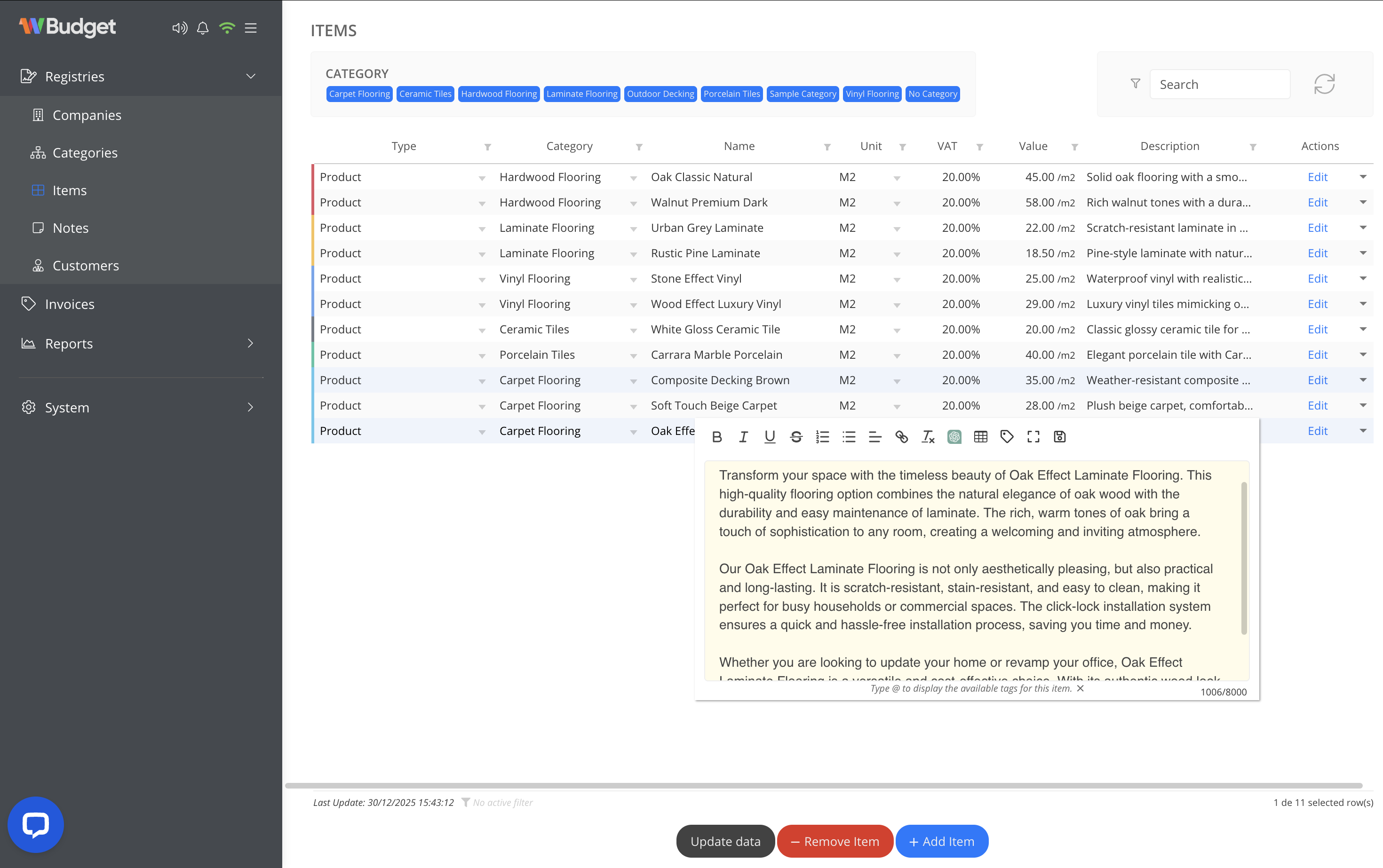
Text editor features
The description editor includes a rich text toolbar with options such as:
- Bold, italic and underline
- Lists and text alignment
- Links and formatting tools
- Character counter
These tools allow you to format descriptions clearly and consistently.
ChatGPT integration
The editor includes a direct integration with ChatGPT Premium, allowing you to generate or improve item descriptions automatically.
To use the integration:
- Click the ChatGPT button in the editor toolbar
- Enter a prompt describing what you need
(e.g. a short commercial description of a product) - Click Consult
- Review the generated text and apply it to the description
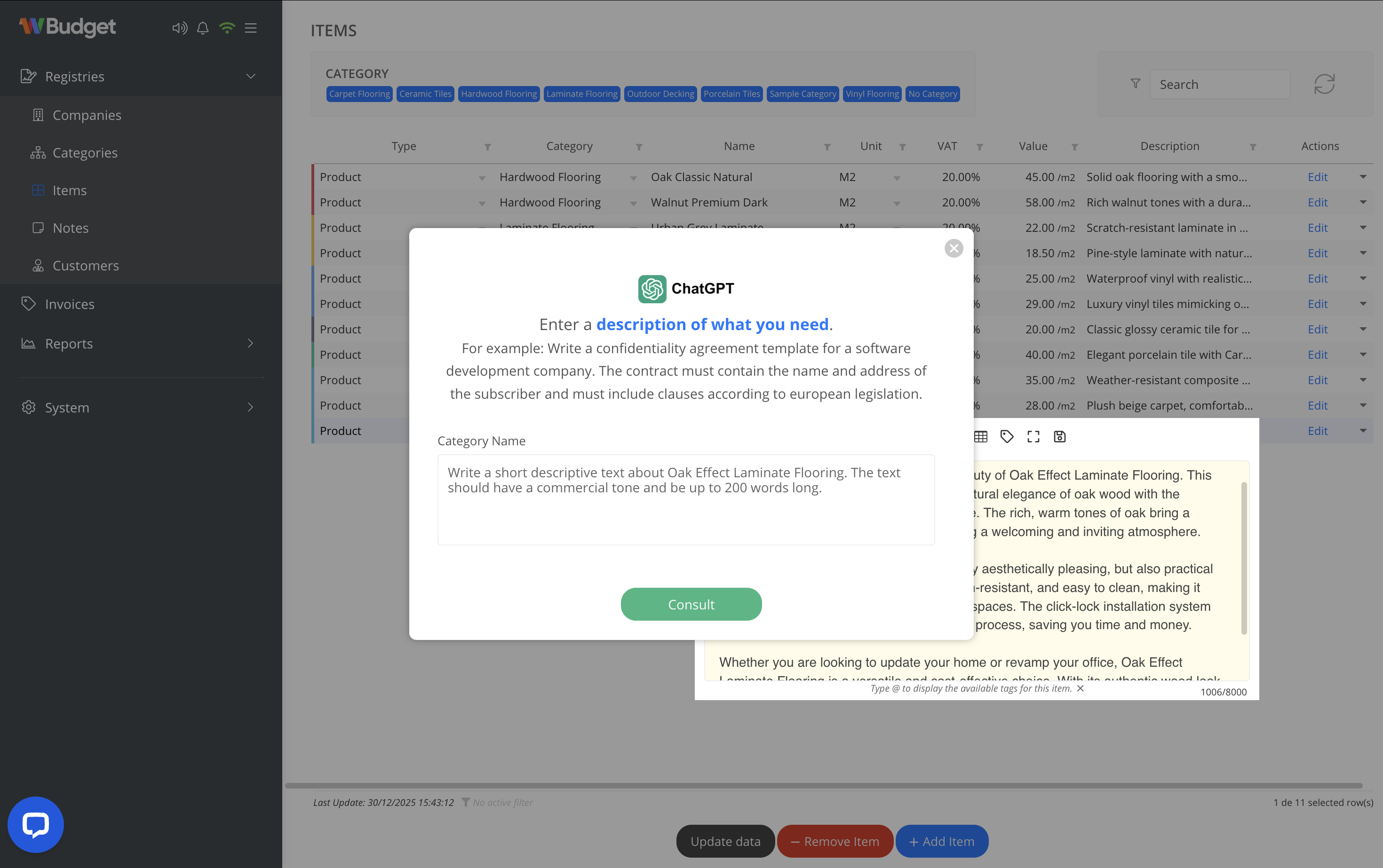
The generated content can be edited freely before saving.
Notes
- ChatGPT integration is optional and assistive
- Generated content should be reviewed before saving
- Descriptions do not affect pricing or VAT calculations
- Updating a description does not change previously issued invoices